

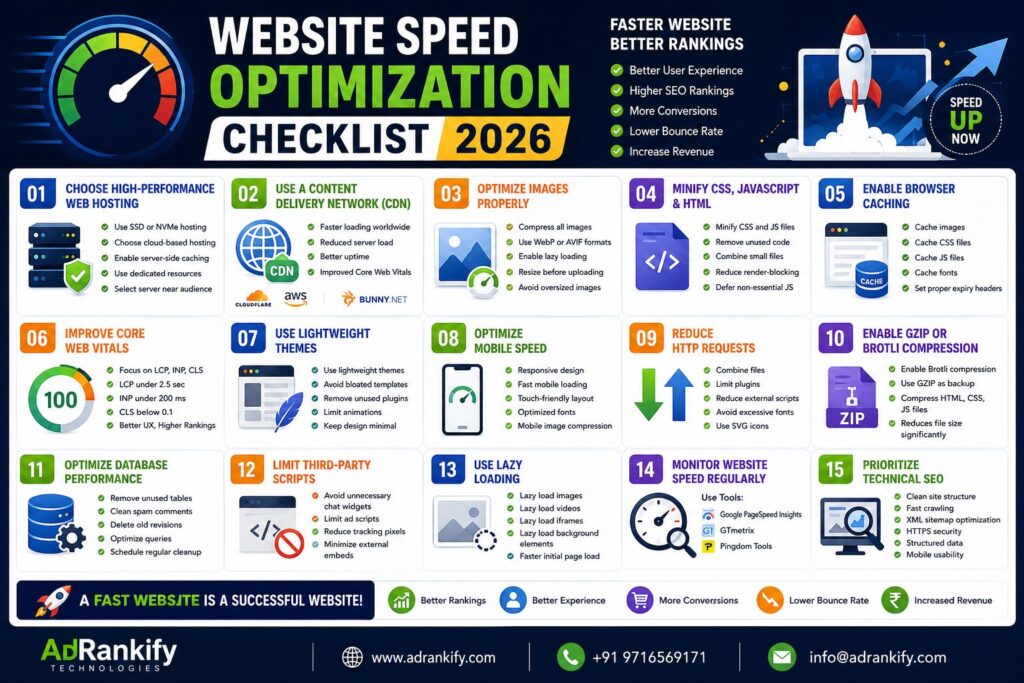
Website Speed Optimization Checklist 2026 ? In 2026, website speed is among the most important ranking and conversion factors. If website loads slowly it should have an increase bounce rate, decrease conversions and be penalized in search engines. Every search engine now prefers websites that are fast, mobile friendly with optimal user experience.
Businesses working with AdRankify Technologies Placing just a big emphasis on speed to boost their rankings, user engagement and generating leads. Below is the Full Website Speed Optimization Checklist 2026 that helps with better SEO and performance.
1. Choose High-Performance Web Hosting
Your hosting provider directly affects website speed.
Best practices:
- Use SSD or NVMe hosting
- Choose cloud-based hosting
- Enable server-side caching
- Use dedicated resources for high-traffic websites
- Select hosting near your target audience
Cheap hosting often causes slow loading times and downtime.
2. Use a Content Delivery Network (CDN)
A CDN stores website files across multiple global servers to deliver content faster.
Benefits:
- Faster loading worldwide
- Reduced server load
- Better uptime
- Improved Core Web Vitals
3. Optimize Images Properly
Large images are one of the biggest causes of slow websites.
Image optimization checklist:
- Compress all images
- Use WebP or AVIF formats
- Enable lazy loading
- Resize images before uploading
- Avoid oversized banners
Optimized images improve both speed and SEO Website Speed Optimization Checklist 2026.
4. Minify CSS, JavaScript, and HTML
Large and unnecessary code files can cause your website to load slower.
Important optimization steps:
- Minify CSS and JS files
- Remove unused code
- Combine small files where possible
- Reduce render-blocking scripts
- Defer non-essential JavaScript
Cleaner code means faster page rendering.
5. Enable Browser Caching
Browser caching stores website resources on the user’s device for faster repeat visits.
Cache important resources:
- Images
- CSS files
- JavaScript files
- Fonts
Effective caching minimizes requests to the server and while doing so, decreases load speed.
6. Improve Core Web Vitals
Google heavily uses Core Web Vitals as ranking signals.
Focus on:
- Largest Contentful Paint (LCP)
- Interaction to Next Paint (INP)
- Cumulative Layout Shift (CLS)
Ideal targets:
- LCP under 2.5 seconds
- INP under 200 milliseconds
- CLS below 0.1
Fast websites rank better and improve user satisfaction Website Speed Optimization Checklist 2026.
7. Use Lightweight Website Themes
Heavy themes add unnecessary scripts and slow performance.
Best practices:
- Use lightweight themes
- Avoid bloated templates
- Remove unused plugins
- Limit animations
Minimal design improves speed and mobile performance.
8. Optimize Mobile Speed
Most users now browse through mobile devices.
Mobile optimization checklist:
- Responsive design
- Fast mobile loading
- Touch-friendly layout
- Optimized fonts
- Mobile image compression
Mobile-first optimization is essential in 2026 Website Speed Optimization Checklist 2026.
9. Reduce HTTP Requests
Every request to the server increases loading time.
Reduce requests by:
- Combining files
- Limiting plugins
- Reducing external scripts
- Avoiding excessive fonts
- Using SVG icons
Fewer requests mean faster performance.
10. Enable GZIP or Brotli Compression
Compression reduces file sizes before transferring them to users.
Recommended:
- Enable Brotli compression
- Use GZIP as backup
- Compress HTML, CSS, and JS files
Compression significantly improves loading speed.
11. Optimize Database Performance
A bloated database slows down dynamic websites.
Database optimization tips:
- Remove unused tables
- Clean spam comments
- Delete old revisions
- Optimize queries
- Schedule automatic cleanup
Fast databases improve backend performance.
12. Limit Third-Party Scripts
Too many external scripts reduce website speed.
Common slow scripts:
- Chat widgets
- Ad scripts
- Tracking pixels
- Social media embeds
Only keep necessary third-party tools.
13. Use Lazy Loading
Lazy loading delays non-essential content until users scroll.
Apply lazy loading to:
- Images
- Videos
- Iframes
- Background elements
This reduces initial page load time.
14. Monitor Website Speed Regularly
Website speed optimization is not a one-time task.
Use speed testing tools:
- Google PageSpeed Insights
- GTmetrix
- Pingdom Tools
Regular testing helps identify performance issues early.
15. Prioritize Technical SEO
Technical SEO and website speed work together.
Important technical SEO factors:
- Clean site structure
- Fast crawling
- XML sitemap optimization
- HTTPS security
- Structured data
- Mobile usability
Businesses using services AdRankify Technologies services Are focusing on enhancing technical SEO and speed performance to increase rankings.
Final Thoughts
Website speed optimization in 2026 is no longer optional. A fast website improves:
- SEO rankings
- User experience
- Conversion rates
- Mobile engagement
- Lead generation
Speed is a priority; websites that load quickly and enhance user experience will be highly favored by search engines. Those businesses that have optimized their sites for speed now will have much to gain by doing so.
Whatever you own an eCommerce store, local business website or a corporate platform you will experience a drastic increase in the performance of your online presence by following this Website Speed Optimization Checklist 2026.
Free Consultation Call / WhatsApp: +91 9716569171 Website: https://adrankify.com Get Direction